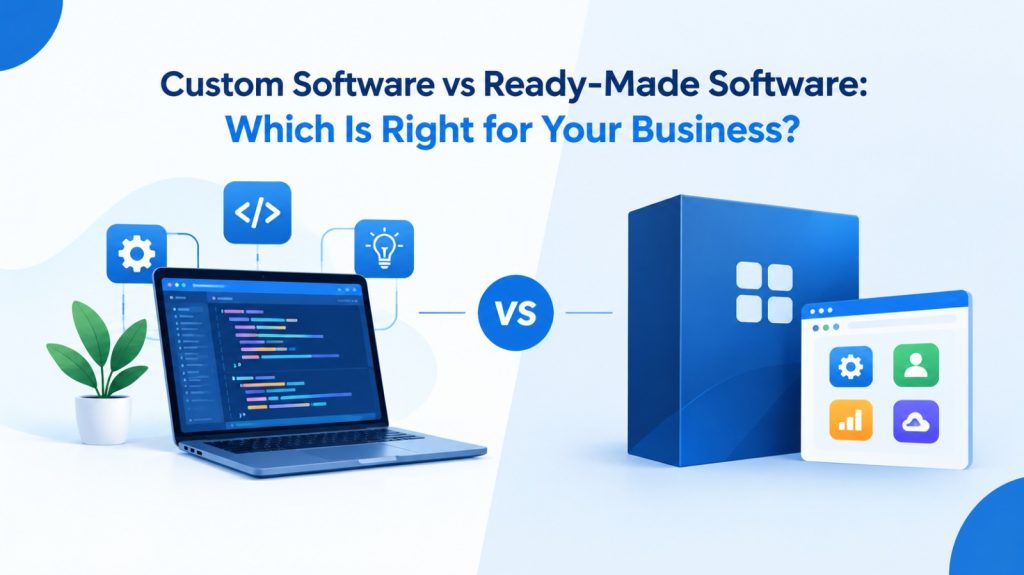
In today’s competitive digital landscape, choosing the right software can significantly impact your business efficiency, productivity, and long-term growth. Whether you run a startup, a growing small business, or an established enterprise, the right software solution can help streamline operations, improve customer experiences, and reduce manual work.
However, one important question often arises: Should you invest in custom software development or choose ready-made software?
Both options offer unique advantages, and the right choice depends on your business goals, budget, operational requirements, and future plans. In this guide, we will explore the differences between custom software and ready-made software to help you make an informed decision.
What Is Custom Software Development?
Custom software development involves designing and building software specifically to meet the unique requirements of a business. Instead of adapting your processes to an existing application, you get a solution developed around your workflows, business objectives, and operational challenges.
For example, a logistics company may require a customized system to manage shipments, track deliveries, automate billing, and generate business reports. Similarly, a manufacturing company may need software to manage inventory, production schedules, and supply chain operations.
With custom software development, businesses can create solutions that align with their exact needs.
Key Benefits of Custom Software
1. Tailored to Your Business Needs
Custom software is developed according to your specific requirements. It allows you to automate relevant processes and address operational challenges without relying on unnecessary features.
2. Greater Flexibility and Scalability
As your business grows, your software can evolve with it. You can introduce new features, support additional users, and expand functionality according to changing business requirements.
3. Improved Workflow Automation
Custom software can automate repetitive tasks, reduce manual data entry, and improve coordination between departments, helping employees focus on more valuable activities.
4. Integration with Existing Systems
A custom solution can be designed to integrate with your existing business tools, databases, and applications, depending on technical compatibility and project requirements.
5. Competitive Advantage
When your software supports processes that differentiate your business from competitors, it can help improve operational efficiency and deliver a more personalized customer experience.
Potential Challenges of Custom Software
Although custom software offers several advantages, businesses should also consider its limitations:
Higher initial development costs compared with many ready-made products.
Longer development timelines, depending on project complexity.
Ongoing maintenance, security updates, and technical support requirements.
The need for clear project planning and collaboration with the development team.
Custom software is often suitable for businesses with specialized requirements, complex workflows, or long-term plans for digital transformation.
What Is Ready-Made Software?
Ready-made software, also known as off-the-shelf software, is a pre-developed application designed for use by a broad range of businesses or individuals. It is generally available through a subscription, one-time purchase, or licensing model.
Examples include accounting applications, customer relationship management (CRM) platforms, project management tools, payroll software, and email marketing applications.
Ready-made software is designed to address common business requirements without requiring a completely new development project.
Key Benefits of Ready-Made Software
1. Faster Implementation
Since the software is already developed, businesses can often start using it shortly after purchasing and configuring it.
2. Lower Initial Investment
Many ready-made solutions offer affordable subscription plans, making them accessible to startups and small businesses with limited budgets.
3. Established Features
Ready-made software often includes commonly required features, documentation, user guides, and support options.
4. Regular Updates
Depending on the provider and plan, users may receive product updates, bug fixes, security improvements, and new features.
5. Easy Availability
Businesses can compare available products, review their features, and select a solution without starting a software development project from scratch.
Potential Challenges of Ready-Made Software
Despite its convenience, ready-made software may not meet every business requirement.
Limited customization options on certain plans.
Features that may not align perfectly with existing workflows.
Additional subscription or licensing expenses over time.
Integration limitations with specific business systems.
Dependence on the vendor for updates, support, pricing, and product availability.
Ready-made software is often a practical choice when your business needs standard functionality, quick deployment, and predictable initial costs.
Custom Software vs Ready-Made Software: Key Differences
Understanding the differences between these two approaches can help you identify the right solution for your business.
| Comparison Factor | Custom Software | Ready-Made Software |
| Development | Built around your requirements | Pre-developed for general requirements |
| Initial Cost | Usually higher | Often lower |
| Implementation Time | Depends on project scope | Usually faster |
| Customization | Designed for specific workflows | Limited or plan-dependent |
| Scalability | Can be planned around business growth | Depends on product capabilities and pricing |
| Integration | Can be designed for required integrations | Depends on supported integrations |
| Maintenance | Must be planned and managed | Often partly handled by the vendor |
| Control | Greater control over development priorities | Dependent on the software provider |
| Best Suited For | Specialized processes and complex needs | Standard business operations |
The best option is not necessarily the one with the lowest initial price. Consider the total cost of ownership, including implementation, subscriptions, customization, integrations, maintenance, and employee training.
Which Software Is Right for Your Business?
The right choice depends on your business size, operational complexity, budget, and long-term objectives.
Choose Ready-Made Software If:
You need a solution for standard business activities.
Your budget is limited and quick implementation is a priority.
Your existing processes already fit the software’s features.
You do not require extensive customization.
The product provides the integrations, security controls, and support your business needs.
For example, a small business that needs basic invoicing, accounting, or task management may find an existing software product sufficient.
Choose Custom Software If:
Your business follows specialized workflows.
Existing applications cannot address important operational challenges.
You need integrations across multiple systems.
You want greater flexibility over features and future enhancements.
Your business requires a solution that can be developed around its long-term growth strategy.
For example, an enterprise managing complex inventory, multiple warehouses, customer orders, and internal approvals may benefit from a tailored business management system.
Is Custom Software More Expensive Than Ready-Made Software?
Custom software generally requires a higher upfront investment because it involves requirements analysis, design, development, testing, and deployment. However, comparing only the initial price may not provide a complete picture.
Ready-made software may involve recurring subscription fees, additional charges for premium features, per-user pricing, integration costs, and expenses associated with adapting business processes.
Custom software may require ongoing maintenance and technical support, but it can be designed to reduce specific inefficiencies and unnecessary work.
To evaluate the actual cost, consider:
Initial development or licensing expenses.
Monthly and annual subscription fees.
Integration and implementation costs.
Employee training and change management.
Maintenance, support, and security updates.
Expected productivity improvements and long-term business value.
The smarter investment is the solution that delivers the right balance of functionality, cost, efficiency, and scalability for your business.
Can Your Business Use Both Custom and Ready-Made Software?
Yes. Businesses do not always need to choose just one option.
A hybrid software strategy combines ready-made applications for standard activities with custom software for specialized processes.
For example, a company might use an established accounting platform while developing a custom application for inventory management, customer portals, order tracking, or internal reporting.
This approach can help businesses benefit from existing software capabilities while addressing operational gaps through customized development.
The key is to ensure that your applications can work together securely and efficiently.
Important Factors to Consider Before Making a Decision
Before investing in a software solution, evaluate the following factors:
1. Business Requirements: Identify the processes you want to improve or automate and distinguish essential features from optional ones.
2. Budget: Compare the complete cost over several years rather than considering only the initial payment.
3. Business Growth: Consider whether the software can accommodate more users, customers, transactions, and locations as your business expands.
4. Integration Needs: Check whether the solution can connect with your existing applications, databases, and third-party services.
5. Security and Compliance: Review access controls, data protection, backup procedures, security updates, and any regulatory requirements relevant to your industry.
6. Support and Maintenance: Understand who will handle technical issues, updates, troubleshooting, and future improvements.
7. Return on Investment (ROI): Estimate how the solution could improve productivity, reduce manual effort, minimize errors, and support business performance.
A clear evaluation of these factors can help you select a solution that supports both immediate requirements and long-term objectives.
Why Choose VM3 Tech Solutions LLP for Your Software Development Needs?
Selecting the right technology partner is an important step when planning your digital transformation. A software solution should not simply address today’s challenges; it should also support your business as your requirements evolve.
VM3 Tech Solutions LLP helps businesses explore digital solutions aligned with their operational needs and business objectives.
Whether you are evaluating a new software application or planning to improve existing business processes, it is important to begin with a clear understanding of your goals, requirements, and expected outcomes.
Before starting a software development project, discuss your business challenges, required features, integration needs, implementation expectations, and future expansion plans with your technology partner.
The right approach can help you make a more informed technology investment and build a stronger foundation for digital growth.
Explore the services offered by VM3 Tech Solutions LLP at https://vm3techsolution.com/ to learn more about its digital solutions and discuss your business requirements.
Conclusion: Make the Right Software Decision for Your Business
Both custom software and ready-made software can support business growth when selected for the right reasons.
Ready-made software is a practical option for businesses that need established features, faster implementation, and a lower initial investment. Custom software is worth considering when specialized workflows, advanced integrations, greater flexibility, or long-term business requirements demand a tailored solution.
Ultimately, your decision should be based on your business needs, available budget, technical requirements, and future goals.
Not sure which option is right for your business? Start by identifying your biggest operational challenges and comparing the solutions that can address them effectively.
For guidance on your business’s digital requirements, connect with VM3 Tech Solutions LLP through vm3techsolution.com and take the next step toward a more efficient digital future.
Frequently Asked Questions (FAQs)
1. What is the main difference between custom software and ready-made software?
Custom software is developed to meet the specific requirements of a business, while ready-made software is a pre-built solution designed for common needs across multiple users or organizations.
2. Is custom software better than ready-made software?
Not in every situation. Custom software may be better for businesses with specialized workflows, while ready-made software may be more suitable for standard requirements and faster implementation.
3. Is ready-made software more affordable?
Ready-made software generally has a lower initial cost. However, subscription fees, premium features, integration expenses, and long-term licensing costs should also be considered.
4. Can custom software grow with my business?
Yes. Custom software can be designed with scalability in mind, allowing new features and capabilities to be introduced as business requirements change. Actual scalability depends on the architecture and implementation.
5. Can custom software integrate with existing business applications?
Yes, where technically feasible. Integration requirements, API availability, data formats, security, and compatibility should be evaluated during project planning.
6. Which software option is best for small businesses?
Small businesses with straightforward requirements may benefit from ready-made software. Businesses with specialized processes or significant automation needs may find custom development more suitable.
7. How do I choose the right software development company?
Evaluate the company’s relevant experience, technical capabilities, project planning process, communication, support arrangements, security practices, and ability to understand your business requirements.
8. How can VM3 Tech Solutions LLP help my business?
You can contact VM3 Tech Solutions LLP through its official website to discuss your digital requirements, explore relevant services, and determine the next steps for your business technology needs.